The SIM question used to be simple: land at the airport, find the kiosk, buy a local card. Then iPhones dropped the physical SIM slot in US models, and the debate started.
In 2026, most travelers are using one of two options — an eSIM from a provider like Airalo or a local physical SIM bought in-country — and the right answer depends on your trip, your phone, and how you actually use data on the road.
Some links in this article may be affiliate links. We only recommend providers we would use ourselves.
What is the actual difference?
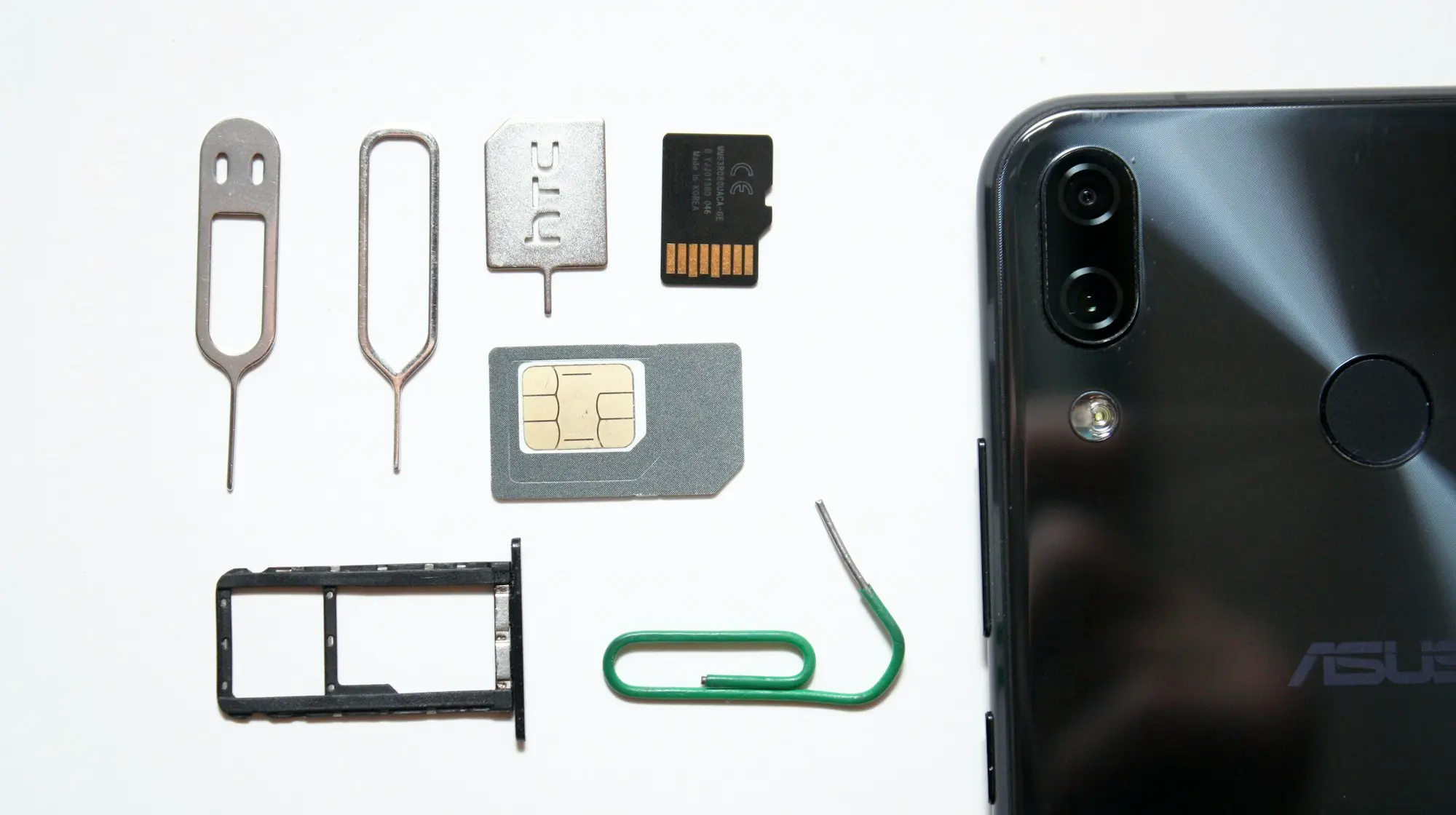
An eSIM (embedded SIM) is a programmable chip soldered into your phone at the factory. You activate a carrier plan on it digitally — no swapping, no tiny plastic card, no ejector tool. A physical SIM is the removable card you have been using for years.
The signal and speed are identical. An eSIM uses the same cellular networks as a physical card from the same carrier. The difference is entirely in how you acquire and manage the plan, not in how it performs.
When eSIM is the right call
Multi-country trips. This is where eSIM has a clear edge. Regional eSIM plans cover 30 to 190 countries under one plan. Airalo’s Europe eSIM runs $16 to $20 for 5GB across most EU countries — you activate it before you leave home and it works the moment you land anywhere in the region.
Short stays. If you are somewhere for 3 to 7 days, the math rarely works out in favor of hunting for a local SIM. The time cost of finding a carrier shop, waiting in line, and dealing with a language barrier often exceeds any price difference.
iPhone 15 US models and later. These have no physical SIM slot. eSIM is your only option if you want local data.
Ease of setup. You install an eSIM in 5 minutes via a QR code or app. Most plans can be purchased and installed before you leave home.
Popular eSIM providers in 2026:
| Provider | Coverage | Starting price | Calls/texts |
|---|
| Airalo | 200+ countries | $4 / 1GB / 3 days | Data only |
| Saily | 150+ countries | $3.99 / 1GB | Data only |
| Nomad | 170+ countries | $4 / 1GB | Data only |
| Holafly | 160+ countries | From $6 | Data + some calls |
Most eSIM providers are data-only. If you need a local number for calls or SMS two-factor authentication, factor that in before buying.
When physical SIM is the better choice
Long single-country stays. For a month in Thailand or Mexico, a local physical SIM from a market or carrier shop typically runs $5 to $12 for 15 to 30GB of data — significantly cheaper than any eSIM plan for the same duration.
Older phones. Any device more than 2 to 3 years old may not support eSIM. Many budget Android phones still ship without eSIM capability. Check your phone’s specs before assuming you have the option.
Need a local number. Local SIMs include a real number for calls and texts. This matters for restaurant reservations, local delivery confirmations, or SMS two-factor authentication from local banks.
Backup device strategy. Some travelers carry a second phone. Physical SIMs can be moved instantly between devices if your primary phone is lost or broken. An eSIM tied to a broken device is harder to transfer quickly.
The cost comparison
Short trip example (1 week in Europe):
- Airalo Europe eSIM: ~$18 for 5GB — activate at home, works Day 1
- Local SIM (France or Germany): ~$10–15 for 10–20GB — requires a carrier store stop
Long stay example (1 month in Southeast Asia):
- Airalo Asia eSIM: ~$40–60 for 10GB
- Local SIM (Thailand AIS): ~$8–12 for 15–30GB
For trips under 2 weeks, the convenience premium of eSIM is usually worth $5 to $10. For stays over 3 weeks, a local physical SIM almost always wins on price.
Device compatibility
Before you assume eSIM is an option:
- iPhone 14 and earlier (international models): physical SIM plus eSIM support
- iPhone 15 US models and later: eSIM only (no physical slot)
- Samsung Galaxy S22+, Pixel 6+, most 2023+ flagships: dual eSIM or eSIM plus physical
- Budget Androids: check the spec sheet — eSIM support varies widely
How to set up an eSIM
- Buy the plan via the provider’s app or website before your trip
- You receive a QR code or direct activation link
- Go to Settings > Cellular > Add eSIM > Scan QR code
- The plan installs in under a minute
- Set your eSIM as the travel data line; keep your home SIM for calls and texts
Most eSIM plans do not expire until you use the data or the time runs out, so you can buy and install days before you leave.
The dual-SIM setup frequent travelers use
Keep your home carrier SIM active for calls, texts, and iMessage — this preserves your number and avoids missed calls. Add a travel eSIM for local data. Your phone handles both simultaneously: incoming calls hit your home number, data runs over the local eSIM.
This is the setup most digital nomads and frequent travelers land on. It costs a bit more than a pure local SIM approach, but the simplicity is worth it when you are moving through multiple countries in one trip.
FAQ
Are eSIMs safe?
Yes. eSIMs use the same encryption standards as physical SIMs. SIM-swap fraud is actually harder to execute with eSIMs than physical cards, which is a security advantage.
Can I switch eSIM plans mid-trip?
Yes, for most phones. iPhones support up to 8 stored eSIM profiles (only one active at a time). You can deactivate one plan and activate another without deleting either.
Does roaming with my home carrier use a physical SIM or eSIM?
It uses whichever profile your home carrier is on — either works. It is also almost always the most expensive option at $10 to $15 per day for most US carriers.
Can I get unlimited data on an eSIM?
Some providers offer it. Airalo’s USA unlimited runs $68 per month. International unlimited plans are rare and usually throttled after a threshold. Read the fine print.
The short answer
Get an eSIM if your phone supports it, you are doing a multi-country trip or staying under 2 weeks, and you want to skip the SIM shop on arrival.
Get a local physical SIM if you are staying in one country for more than 3 weeks, need a local number, or your phone does not support eSIM.
Traveling without any local data option in 2026 means relying entirely on Wi-Fi — and that is a bad plan at airports, in transit, and in most situations where you actually need a map.